

Home › Games › Sombra Ninja: Estrellas

Sombra Ninja: Estrellas
Infiltrate 50 missions, dodge guards and steal gems in this stealth game.
- Version 1.1.1
- 1 player
- Adventure and idle
- Web: available now in the browser (1.1.1). Android: closed testing (production request rejected on Oct 31; retry around Nov 14)
Android
- Open in Chrome
- Menu
- Install app
iPhone
- Open in Safari
- Share
- Add to Home Screen
What it is about
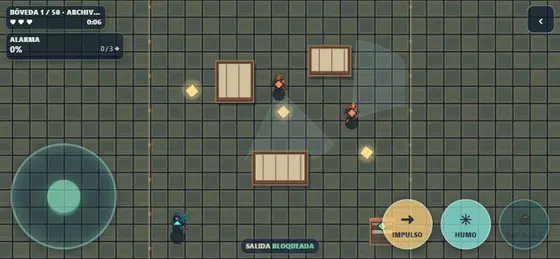
Sombra Ninja: Estrellas is a stealth game in which you enter a castle full of guards, steal the gems and leave without being seen. One rushed move and the alarm sounds; a well-planned one and nobody knows you were there.
The campaign has fifty missions in ten chapters. You earn stars and trade them for looks (skins, Oni, Kitsune and Tengu masks); none of that changes the difficulty.
Text based on the Spanish Google Play listing, translated. Pending native review.
Screenshots
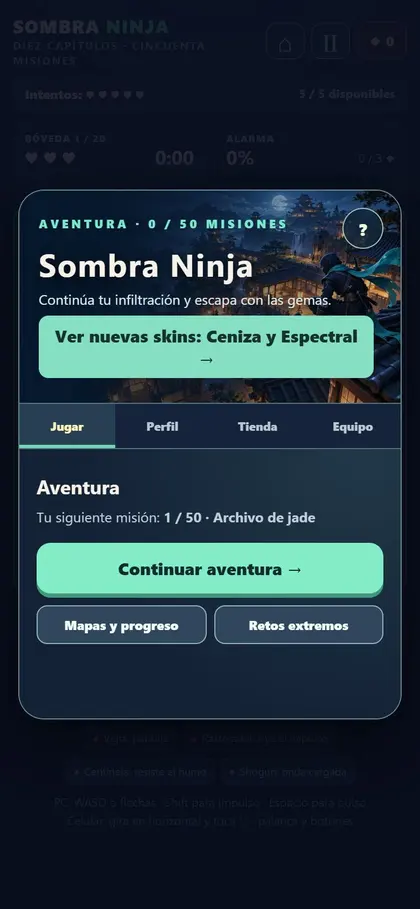

Swipe to see more →
What to do
- Watch each guard's route.
- Move through the shadows and advance when they turn their back.
- Collect the gems and reach the exit before you run out of hearts.
- Use Dash and Smoke carefully: they are not unlimited.
- Earn stars and trade them for looks.
How it works
Single player, on your phone in landscape (browser or Android app). Played on: Web browser, Phone, Android.
- Version
- 1.1.1
- Players
- 1
- Category
- Adventure and idle
- Language
- Spanish (Mexico)
- Availability
- Web: available now in the browser (1.1.1). Android: closed testing (production request rejected on Oct 31; retry around Nov 14)
- Ads
- None on the web
Install on your phone
Android (Chrome)
- Open nebuloo.com in Chrome.
- Tap Install, or the ⋮ menu and Install app.
- Open Nebuloo from your home screen.
Coming soon to Google Play.
iPhone (Safari)
- Open nebuloo.com in Safari.
- Tap the Share button.
- Choose Add to Home Screen.
It is not a download: a shortcut to the website is added.
Sign in with Google
Coming soon. Today you can play without an account; once sign-in arrives you will be able to save your progress across devices.