
Alebrijuntos
Cooperative game: alebrijes tied by a rope that move forward together through the maps.
- Version 1.1.0
- Cooperative
- Adventure and idle
- Web: available now in the browser (1.1.0), without online mode for now. Android: closed testing (Play: 1.0.1; 1.1.0 is ready in the repository, unpublished)
Android
- Open in Chrome
- Menu
- Install app
iPhone
- Open in Safari
- Share
- Add to Home Screen
What it is about
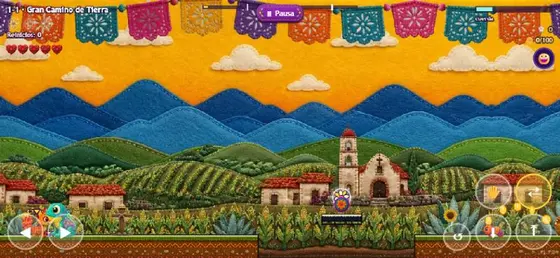
A cooperative rope game: two alebrijes tied together cross maps full of Mexican folk-art scenery and only move forward if they coordinate.
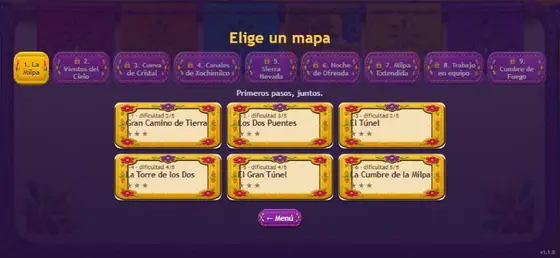
There are nine worlds (La Milpa, Vientos del Cielo, Cueva de Cristal, Canales de Xochimilco and more) with six maps each, a shop, a profile with achievements and an online mode to find a partner or invite one through WhatsApp.
Description based on the game's own screens (version 1.1.0, in the repository). An official store listing is still missing. Pending native review of the English.
Screenshots
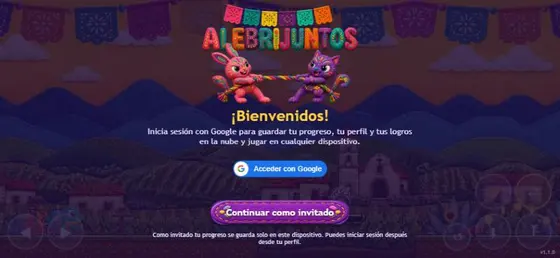
Swipe to see more →
What to do
- Open the menu and pick a map from the world you want.
- Move forward together: the rope keeps both alebrijes tied.
- Play alone controlling both, or online with a partner (create a room, find a partner or invite on WhatsApp).
- Check your profile to see your progress.
How it works
Cooperative: on the web, on the same device (online mode with a partner is in the Android app; coming soon on the web). Played on: Web browser, Phone, Android.
- Version
- 1.1.0
- Players
- Cooperative
- Category
- Adventure and idle
- Language
- Spanish (Mexico)
- Availability
- Web: available now in the browser (1.1.0), without online mode for now. Android: closed testing (Play: 1.0.1; 1.1.0 is ready in the repository, unpublished)
- Ads
- None on the web
Install on your phone
Android (Chrome)
- Open nebuloo.com in Chrome.
- Tap Install, or the ⋮ menu and Install app.
- Open Nebuloo from your home screen.
Coming soon to Google Play.
iPhone (Safari)
- Open nebuloo.com in Safari.
- Tap the Share button.
- Choose Add to Home Screen.
It is not a download: a shortcut to the website is added.
Sign in with Google
Coming soon. Today you can play without an account; once sign-in arrives you will be able to save your progress across devices.