

Sudoku
Nueve
Sudoku in Relax or Competitive mode, with a daily challenge and 1 vs 1 duels.
- Version 1.0
- All ages
- 1 (or 2 in to duel) players
- Puzzles and brain games
- Web and Android (closed testing)
Android
- Open in Chrome
- Menu
- Install app
iPhone
- Open in Safari
- Share
- Add to Home Screen
Coming soon to Google PlaySee full steps
What it is about
Classic sudoku: complete the grid without repeating a number in any row, column or 3×3 box.
Play it in Relax mode, with no pressure, or in Competitive mode against the clock, with a daily challenge, a weekly league and 1 vs 1 duels against your friends.
Screenshots
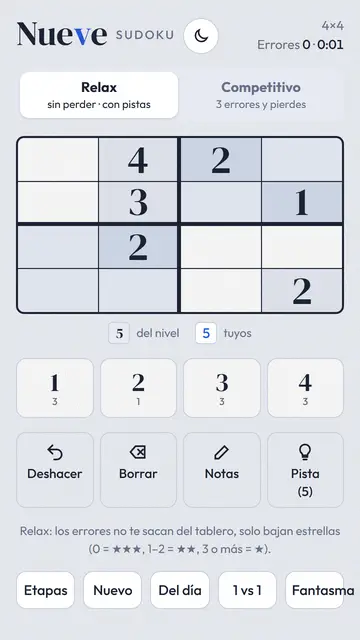
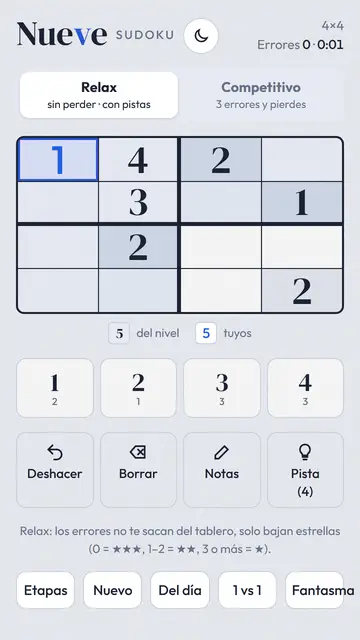
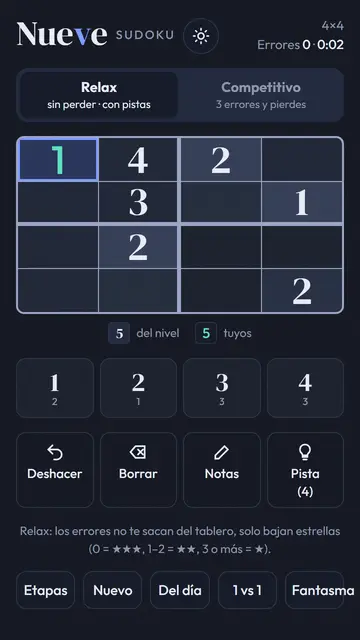

Swipe to see more →
What to do
- Choose the difficulty and the mode: Relax or Competitive.
- Tap a cell and pick the number that goes there; it cannot repeat in its row, column or box.
- Complete the whole grid. In Competitive mode the time counts toward your record.
- Challenge a friend to a 1 vs 1 duel: you both play the same board.
How it works
Single player, with 1 vs 1 duels by link. Played on: Web browser, Phone, Computer.
- Version
- 1.0
- Players
- 1 (or 2 in to duel)
- Category
- Puzzles and brain games
- Language
- Spanish (Mexico)
- Age
- All ages
- Availability
- Web and Android (closed testing)
- Ads
- None on the web
Install on your phone
Android (Chrome)
- Open nebuloo.com in Chrome.
- Tap Install, or the ⋮ menu and Install app.
- Open Nebuloo from your home screen.
Coming soon to Google Play.
iPhone (Safari)
- Open nebuloo.com in Safari.
- Tap the Share button.
- Choose Add to Home Screen.
It is not a download: a shortcut to the website is added.
Sign in with Google
Coming soon. Today you can play without an account; once sign-in arrives you will be able to save your progress across devices.