
Rays and mirrors
Destello
Guide the laser ray to its goal with mirrors, splitters and portals. 305 levels.
- Version 1.1.0
- All ages
- 1 player
- Puzzles and brain games
- Web and Android (closed testing)
Android
- Open in Chrome
- Menu
- Install app
iPhone
- Open in Safari
- Share
- Add to Home Screen
Coming soon to Google PlaySee full steps
What it is about
A puzzle of light: each level has emitters, goals and pieces you can place to guide the rays. There are mirrors, splitters, blocks, portals and color filters.
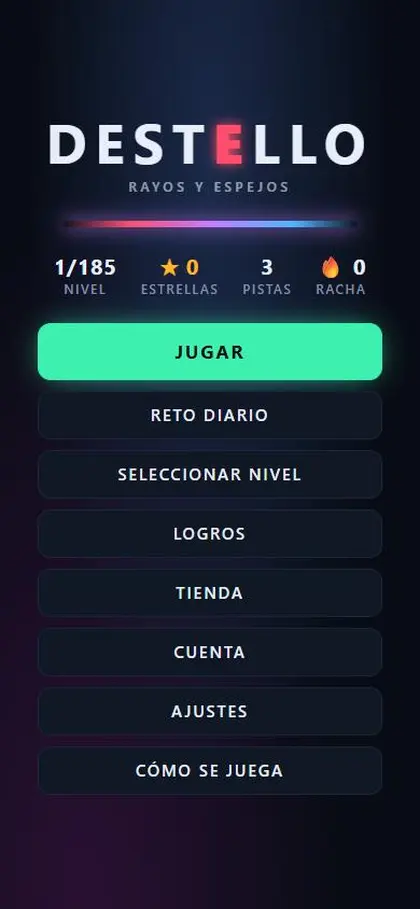
There are 305 levels with stars for each level, hints, daily challenges, achievements and an in-game shop.
Screenshots
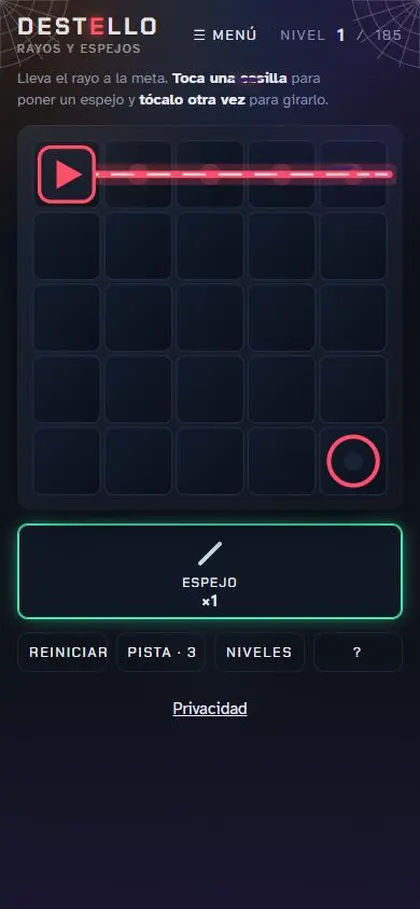
Swipe to see more →
What to do
- Pick a level. Each ray must reach its goal of the same color.
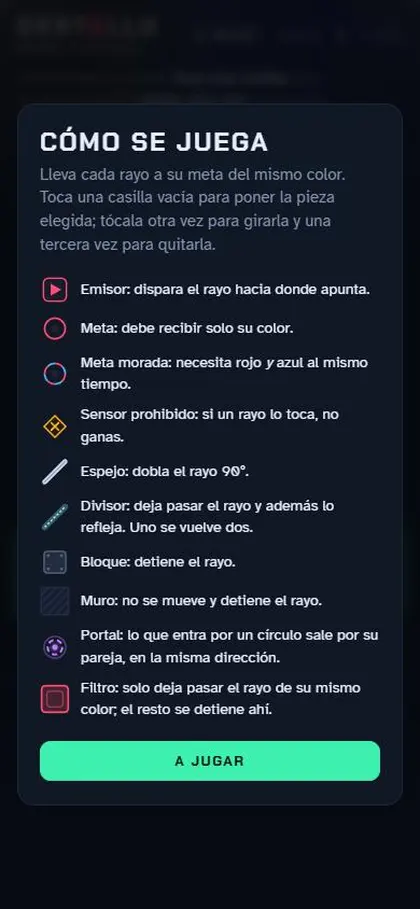
- Tap an empty cell to place the chosen piece; tap it again to rotate it and a third time to remove it.
- Use mirrors (bend the ray 90°), splitters (the ray becomes two), portals (enter one, exit its twin) and filters (only their color passes).
- Avoid the forbidden sensors: if a ray touches them, you do not win. Use "Hint" if you get stuck.
How it works
Single player. Played on: Web browser, Phone, Computer.
- Version
- 1.1.0
- Players
- 1
- Category
- Puzzles and brain games
- Language
- Spanish (Mexico)
- Age
- All ages
- Availability
- Web and Android (closed testing)
- Ads
- None on the web
Install on your phone
Android (Chrome)
- Open nebuloo.com in Chrome.
- Tap Install, or the ⋮ menu and Install app.
- Open Nebuloo from your home screen.
Coming soon to Google Play.
iPhone (Safari)
- Open nebuloo.com in Safari.
- Tap the Share button.
- Choose Add to Home Screen.
It is not a download: a shortcut to the website is added.
Sign in with Google
Coming soon. Today you can play without an account; once sign-in arrives you will be able to save your progress across devices.